
Text to Image
Create AI images from text prompts
Explore several AI creation tools for quick image and video workflows in your browser, then scale successful ideas with Best Image AI's production-ready model APIs. Best Image AI provides a unified API layer for all models, making it easy to use and scale your workflows.
Create AI images from text prompts

Create AI images from images and text prompts

Create AI videos from text prompts

Animate images into AI videos

Create AI images and videos in one unified workspace

Create consistent videos from reference media
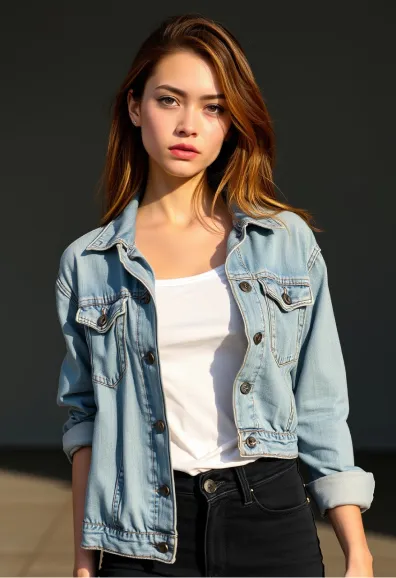
She was slim and stood confidently, displaying a slender physique and graceful proportions. Her face was angular, with high cheekbones, a delicate jawline, soft, full lips, and pale skin dotted with faint freckles. A head of dark hair fell over her shoulders, glowing copper and gold in the sunlight. She wore a slightly baggy faded denim jacket, unbuttoned to reveal a simple white t-shirt underneath, paired with black high-waisted skinny jeans that accentuated her slender legs.
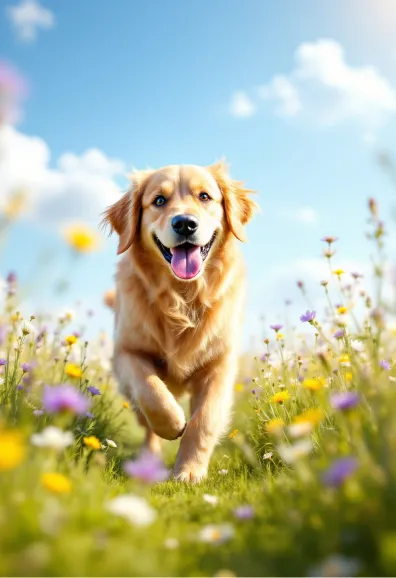
Create an energetic scene of a Golden Retriever running happily through a sunlit meadow. The dog's fur shines in the warm afternoon light. In the background is a lush green grass dotted with colorful wildflowers in colors of purple, yellow and white under a clear blue sky. Use a shallow depth of field to focus on the dog while softly blurring the background to enhance the sense of movement. Choose a realistic HD style with rich textures to highlight the dog's fur and soft petals.
Unlock the power of AI with the Image to Prompt Generator. This tool analyzes your uploaded images with precision, extracting detailed content to generate prompts that are both comprehensive and optimized for AI interpretation. Perfect for creating prompts that enhance image generation results in FLUX AI and other AI models.
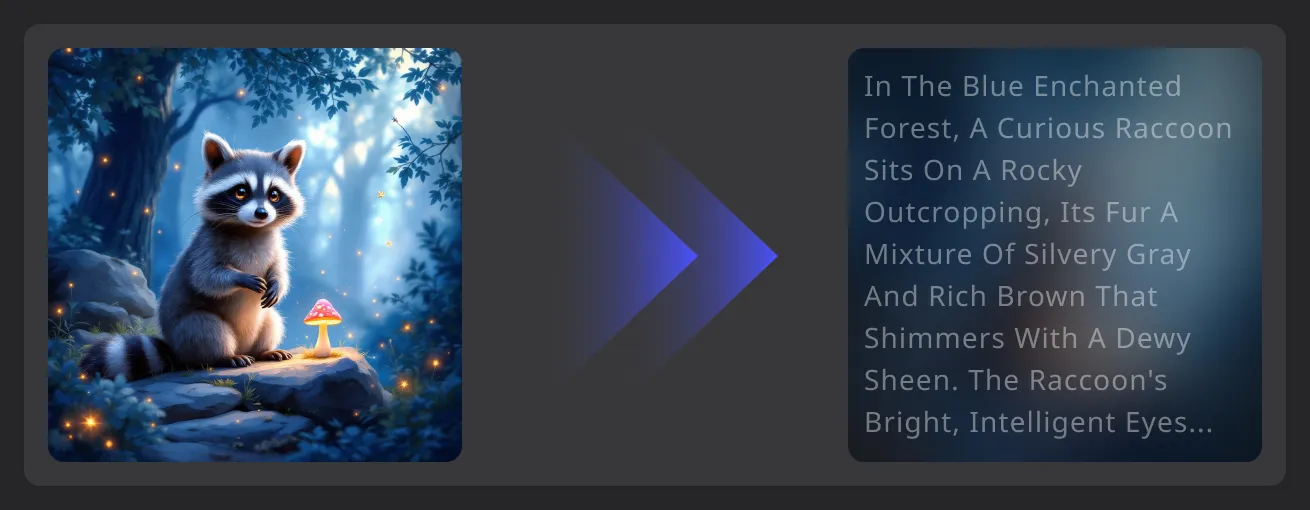
Analyze an uploaded image and transform its visible content into a detailed prompt for creative reuse.
Analyze the subjects, setting, colors, lighting, composition, and other visible details in an uploaded image.
Turn visual observations into a detailed text prompt that captures the main content and style of the image.
Receive a structured description that can be copied, refined, and reused in an AI image generation workflow.
Move from image analysis to prompt-based creation without manually describing every visual element.
Follow three simple steps to get the image you desire
Upload the image you wish to convert into a prompt
Click the transform button to convert the image into a prompt
Copy the prompt or directly generate the image
Explore representative AI image and video models for production-ready creative workflows, with model pages, API access, pricing details, and discounts through Best Image AI's unified model platform.


