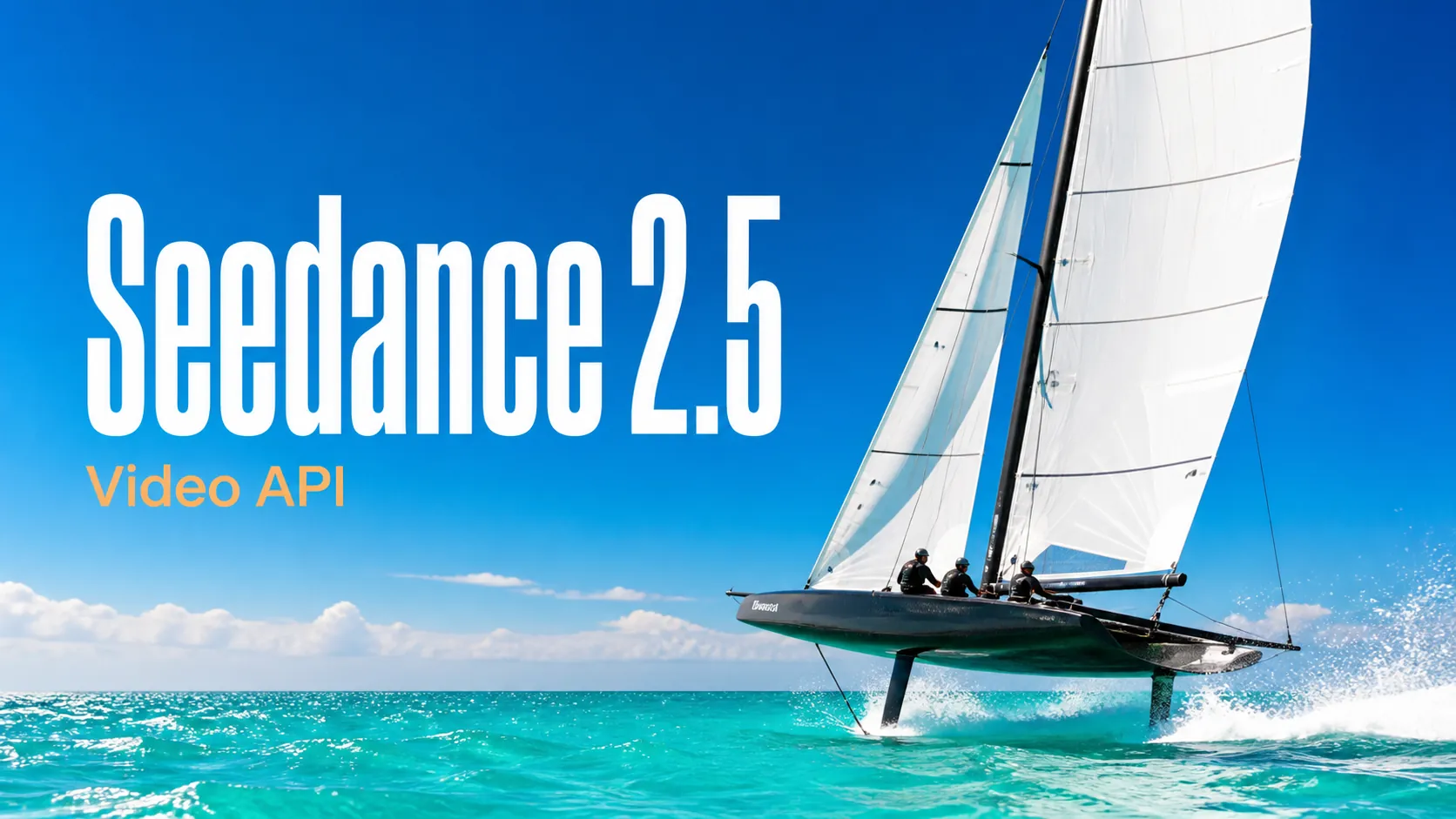
Seedance 2.5 Prompts
Explore structured Seedance 2.5 video prompts for cinematic scenes, advertising, animation, UGC, and controlled image-to-video workflows.
Free trial for higher quality image generation
Get a faster, higher-quality, ad-free experience of generating images through our professional website
Start with practical image and video prompt examples, open a complete prompt collection, or browse its maintained GitHub library.
Explore structured Seedance 2.5 video prompts for cinematic scenes, advertising, animation, UGC, and controlled image-to-video workflows.
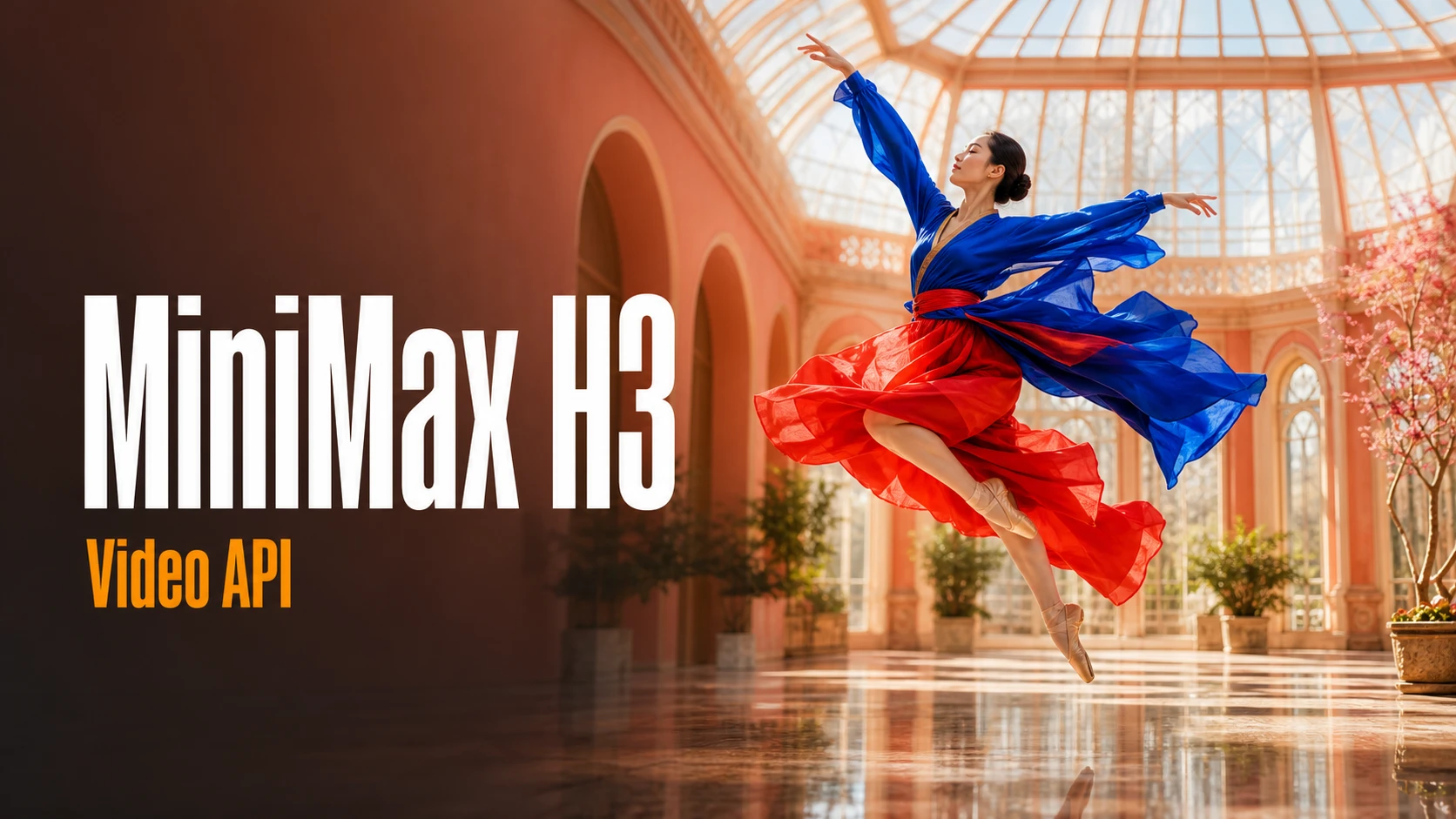
Browse production-oriented MiniMax H3 prompts for brand films, product videos, social campaigns, storytelling, and audiovisual creation.
Discover Wan 3.0 prompt ideas for cinematic storytelling, transitions, product videos, action, animation, and professional video direction.
Find detailed Qwen Image 3.0 prompts for posters, product visuals, social content, editorial design, typography, and image production.
Explore image prompts for product visuals, editorial design, portraits, typography, and controlled reference-based editing.
Explore several AI creation tools for quick image and video workflows in your browser, then scale successful ideas with Best Image AI's production-ready model APIs. Best Image AI provides a unified API layer for all models, making it easy to use and scale your workflows.

Create AI images from text prompts

Create AI images from images and text prompts

Create AI videos from text prompts

Animate images into AI videos

Create AI images and videos in one unified workspace

Create consistent videos from reference media

Build visual AI image and video workflows on an infinite canvas
Create for free · Earn as an affiliate
Join the Bestimage.ai affiliate program, share your referral link with creators who need reliable AI tools, and earn commissions through your referrals.
Join the Affiliate ProgramA flexible AI image generator and AI image editor for text-to-image and image-to-image creation, built for detailed prompt following, clean layouts, accurate visual direction, reference-guided edits, and fast creative iteration.
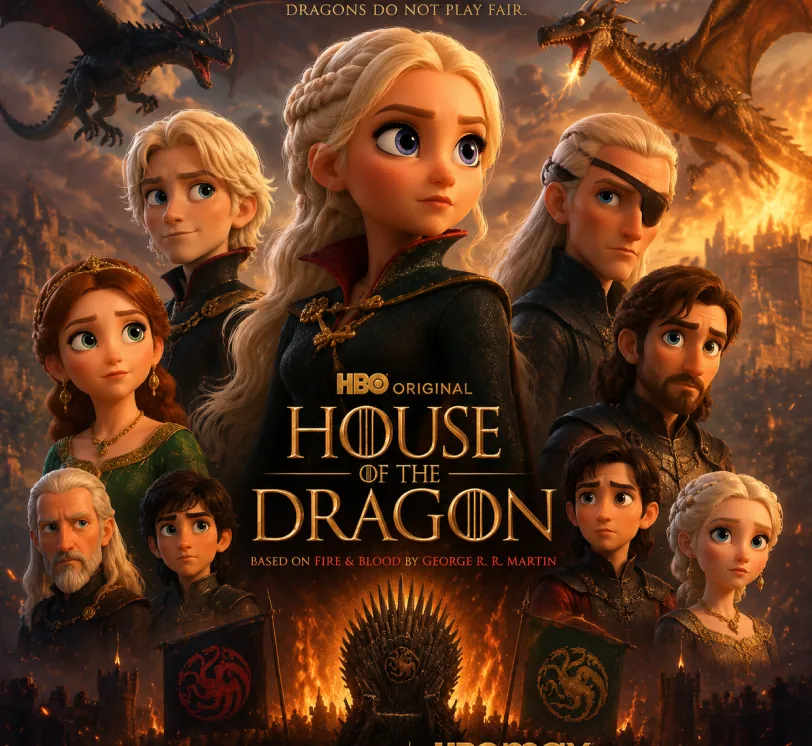
Pixar-style movie poster reimagining of the TV show {argument name="House of the Dragon" default="[Breaking Bad]"}. Feature the main cast as charming 3D CGI caricature characters with exaggerated, expressive features, big expressive eyes, and warm glossy Pixar-quality rendering. Compose it as an actual movie poster
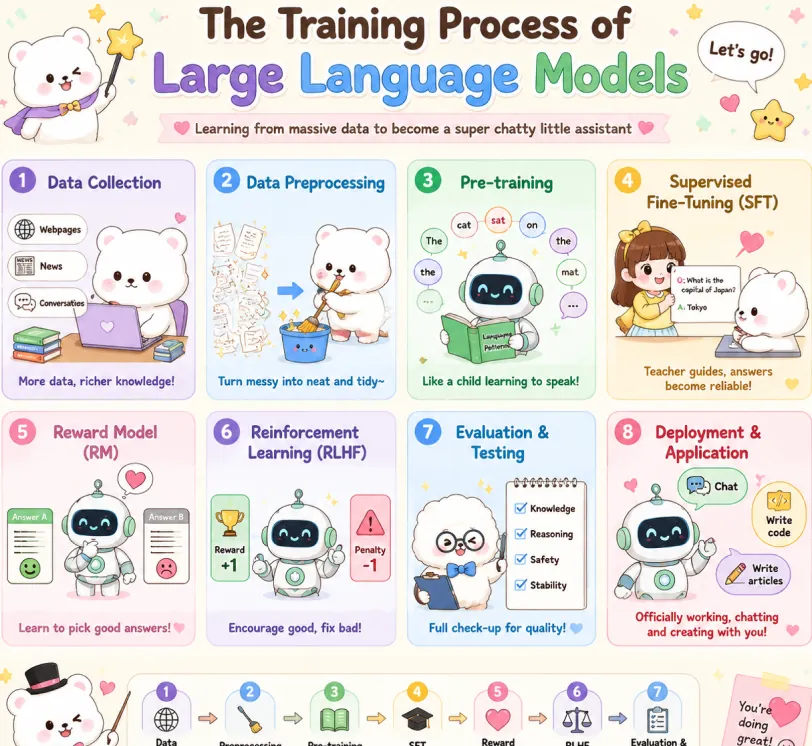
Create a cute pastel horizontal poster titled 'The Training Process of Large Language Models' with subtitle 'Learning from massive data to become a super chatty little assistant'. Hand-drawn cartoon style, rounded panels, soft cream background, pastel colors (lavender, sky blue, mint green, yellow, pink, brown), crisp English text, stars, hearts, arrows, speech bubbles. Warm friendly tone. 2x4 grid: Data Collection (lavender): White bear with laptop and books. Labels: Webpages, News, Conversations. Caption: More data, richer knowledge! Data Preprocessing (sky blue): Bear cleans messy papers into bucket. Caption: Turn messy into neat and tidy~ Pre-training (mint green): Cute robot reads book with token bubbles. Caption: Like a child learning to speak! Supervised Fine-Tuning SFT (yellow): Teacher shows QA card to bear. Caption: Teacher guides, answers become reliable! Reward Model RM (pink): Robot picks the better answer. Caption: Learn to pick good answers! Reinforcement Learning RLHF (lavender blue): Robot sees reward and penalty. Caption: Encourage good, fix bad! Evaluation & Testing (blue): Fluffy character checks Knowledge, Reasoning, Safety, Stability. Caption: Full check-up for quality! Deployment & Application (red pink): Robot with Chat, Write code, Write articles. Caption: Officially working, chatting and creating with you! Top: Sparkle, confetti, white mascot with star wand, 'Let's go!' bubble. Bottom: Bow-tie mascot, 7-step flow with arrows: Data Collection → Preprocessing → Pre-training → SFT → Reward Model → RLHF → Evaluation. Closing: This is how large language models grow from knowing nothing to super scholar! ٩(๑^o^ٖ)۶. Heart sticky note. Mascots: cute robot, chubby white bear, teacher girl, fluffy examiner. Polished and shareable infographic.
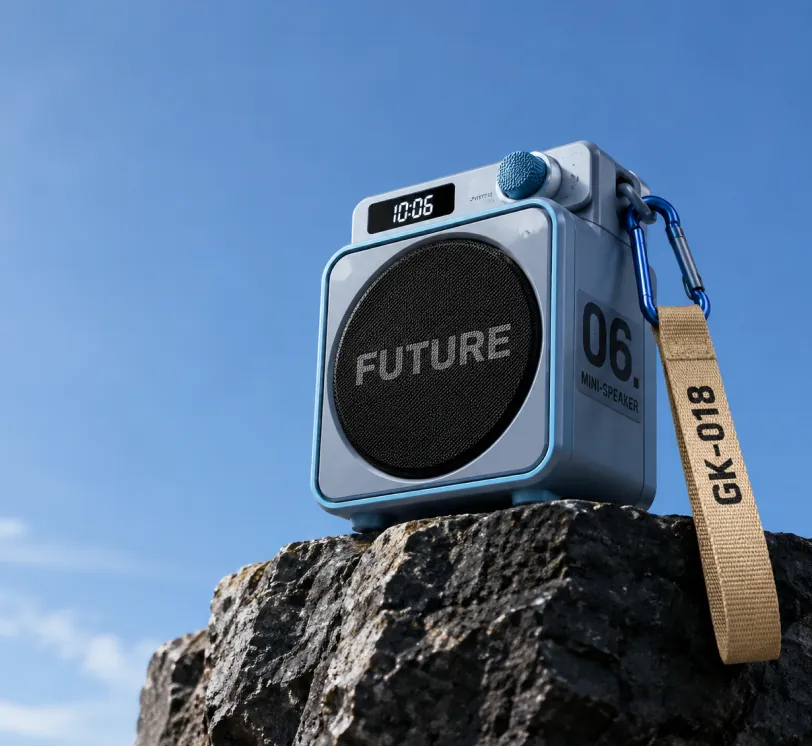
Photorealistic product photography of a compact modern portable mini-speaker resting on the edge of a dark rugged rocky cliff against a vast clear blue sky. The speaker has a sleek cube-shaped body in matte light blue-gray with metallic blue trim and rounded corners. Front face features a large circular black mesh speaker grille with the bold word "FUTURE" in large gray capital letters across the center. Right side panel displays large black text "06." above smaller stacked text "MINI-SPEAKER". Top surface has a small rectangular digital display showing "10:06" in white digits on black, next to a blue cylindrical control knob labeled "SWITCH". A blue carabiner clip on the top right holds a beige woven fabric strap hanging downward with "GK-018" printed in black capital letters. Low angle shot looking slightly upward, dramatic perspective emphasizing height, professional studio lighting mixed with natural daylight, soft shadows, ultra sharp focus, high resolution, clean minimalist composition with expansive blue sky on the left and upper frame, premium outdoor tech gadget aesthetic, cinematic product photography style.
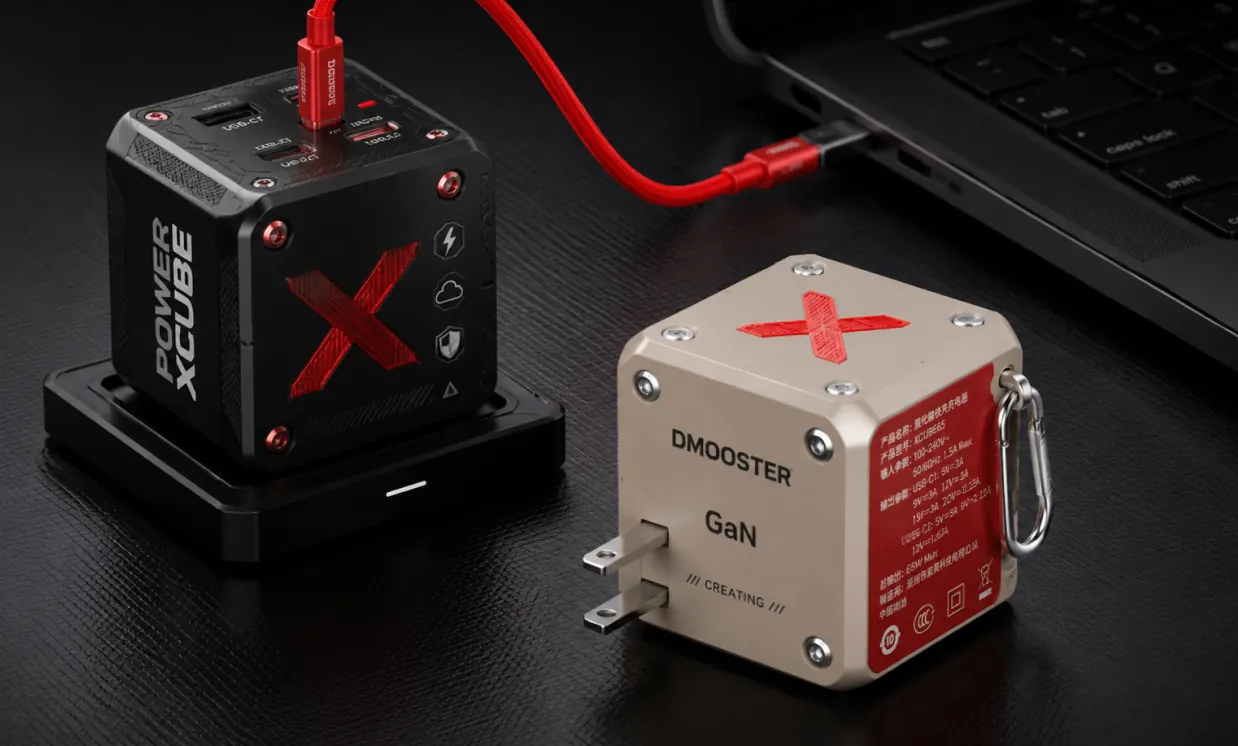
Photorealistic professional studio product photography of two modern cube-shaped GaN power adapters on a dark charcoal textured surface with subtle grid pattern. In the foreground right, a matte beige power cube featuring a large red X logo on top, silver metal rivets, "DMOOSTER" branding in gray, "GaN" text, and "CREATING" below. The red side panel displays detailed white Chinese specification text and symbols. It has two flat metallic prongs and a silver carabiner-style metal clip on the side. Slightly behind and to the left, elevated on a black rectangular docking base, stands a matte black power cube with bold vertical white text "POWER XCUBE", a prominent red X logo, multiple small functional icons (lightning bolt, cloud, shield), and red accent screws. A thick vibrant red cable is plugged into the top USB-C port of the black cube, curving smoothly to connect with a partially visible black laptop in the upper right background. Soft cinematic studio lighting with gentle highlights and defined shadows, sharp focus on both products, shallow depth of field, ultra-detailed textures and realistic materials, high-end tech product visualization, dark moody atmosphere, Behance portfolio aesthetic, 8k resolution.
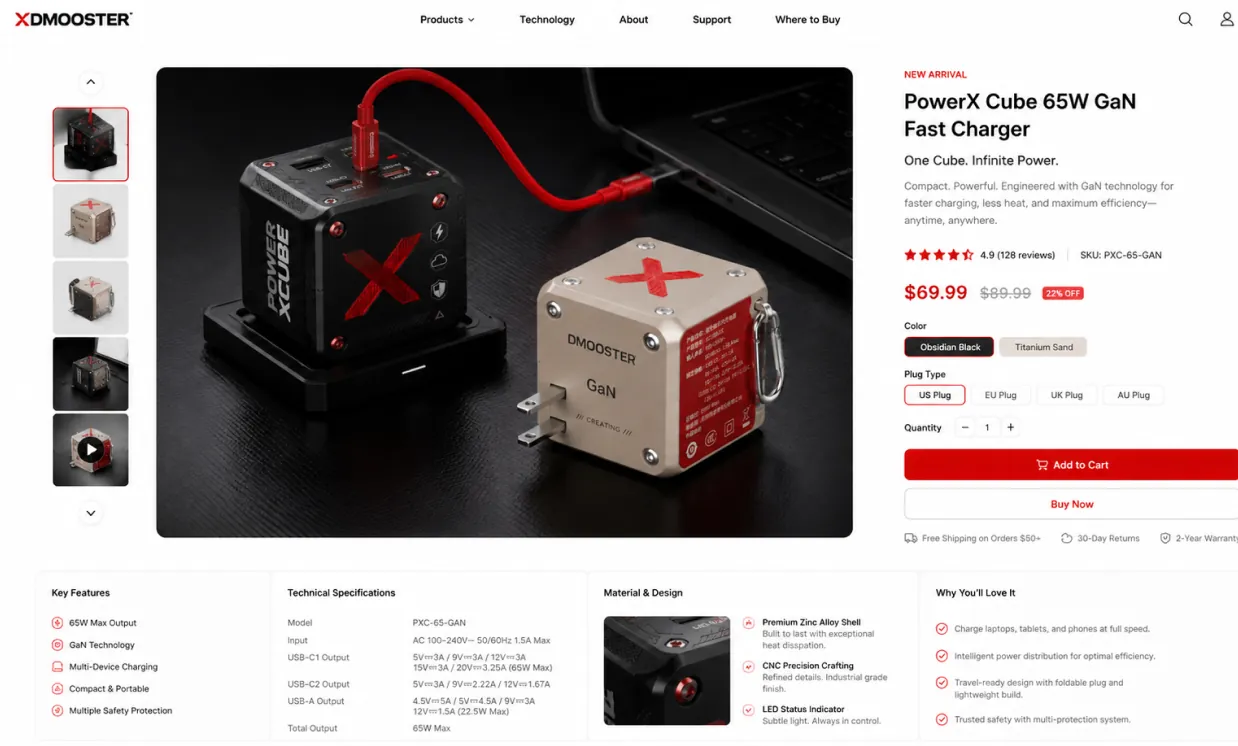
Use the provided product image as the exact hero product and create a beautiful desktop e-commerce product detail page mockup in a 16:9 ratio. Keep the product’s real shape, proportions, materials, colors, and branding consistent with the input image. Design a premium, modern, minimal product showcase webpage with strong commercial appeal, suitable for product presentation, retail concept design, brand landing pages, and UI mockups. Layout should include: a clean top navigation bar, left-side thumbnail gallery or supporting product visuals, a large central hero product display with soft studio lighting and realistic shadow, and a right-side product information panel with product title, price, concise marketing copy, selectable options, quantity control, and strong call-to-action buttons. Add a lower information area with feature icons, technical specifications, material highlights, and short selling points arranged in a polished grid. Use elegant sans-serif typography, precise spacing, thin divider lines, subtle cards, white or very light neutral background, and a calm premium color system derived from the product itself. Overall look: realistic, high-end, conversion-focused, clean desktop UI, refined industrial design presentation, dribbble/brand-site quality, not mobile, not cluttered, not cartoon.
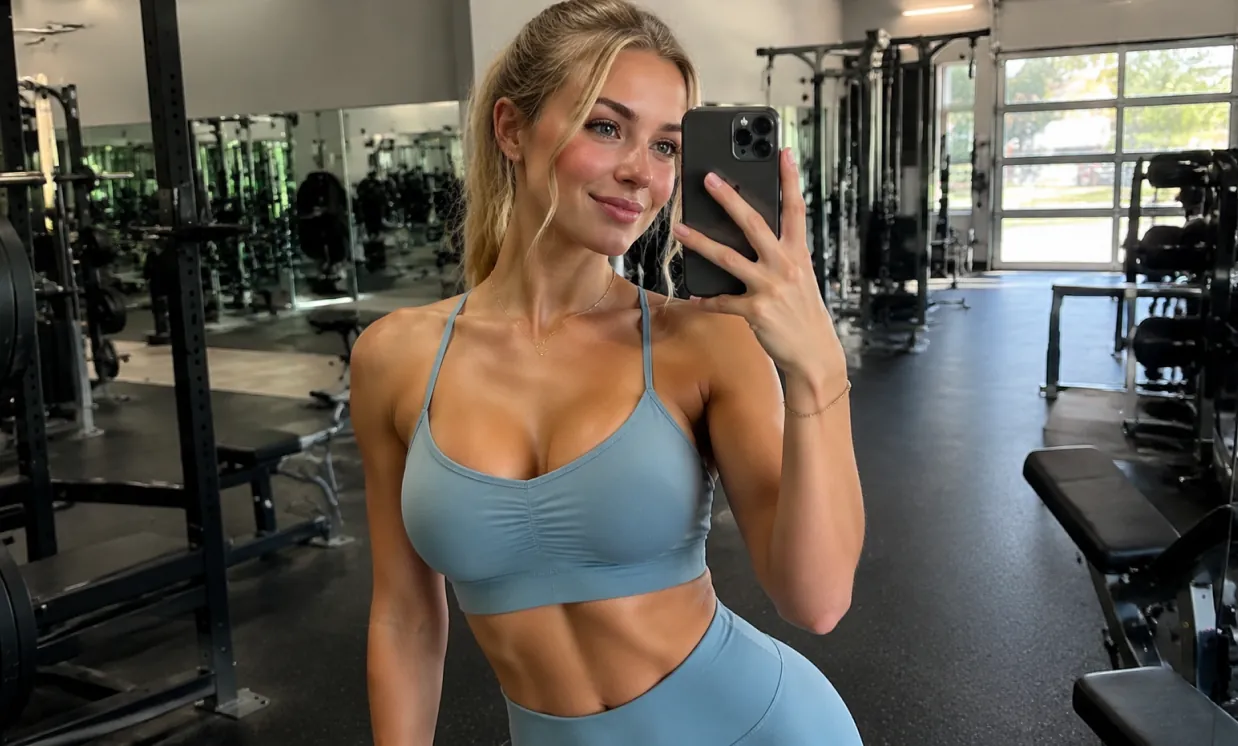
A beautiful and attractive European white young woman taking a selfie in the gym, wearing yoga clothes and showing off her curvaceous figure.
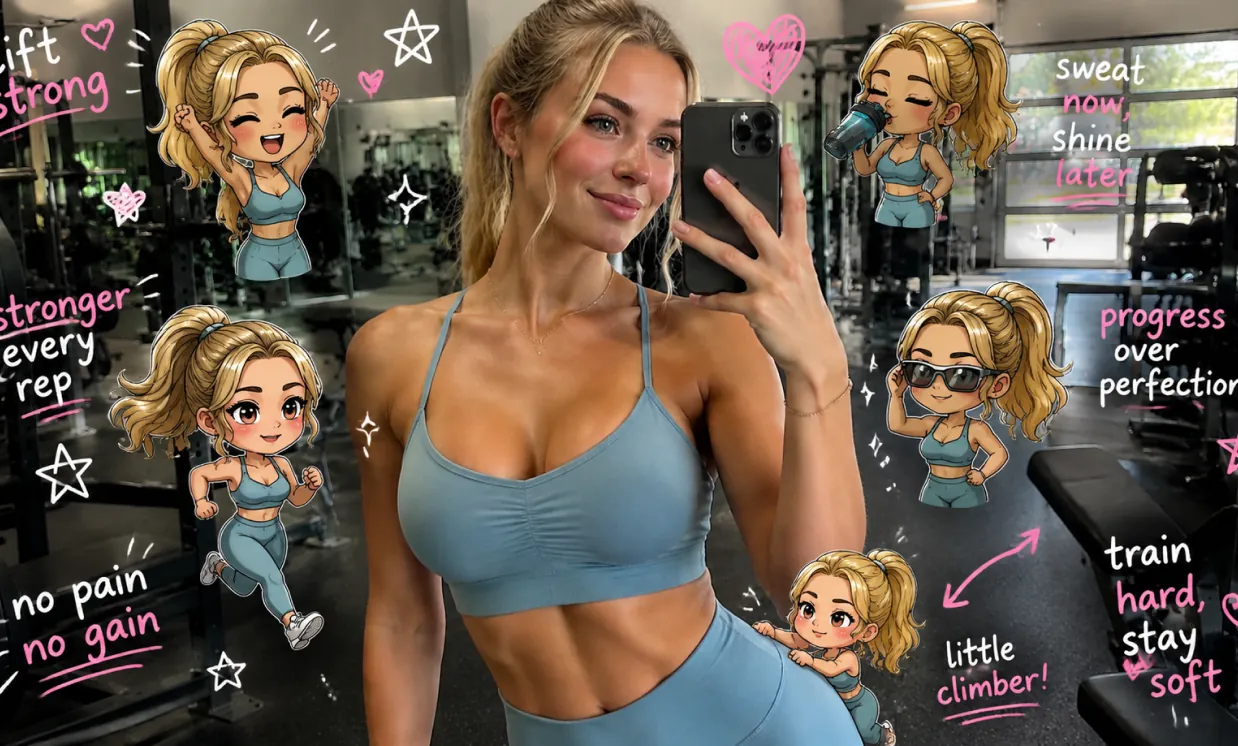
Edit the image while keeping the original photo completely unchanged — including the person, face, body, pose, lighting, and gym background. Add multiple small, cute chibi-style “mini versions” of her around the image. Each mini character should have a big head, expressive facial features, and match her hairstyle and outfit. Depict each mini version doing different gym-related activities: one cheering with arms raised one running in running shoes one drinking from a shaker bottle one wearing sporty running glasses one climbing near her leg Enhance the image with playful, hand-drawn doodles and handwritten notes in white and pink ink, in a scrapbook style. Include elements like arrows, stars, hearts, sparkles, and sketchy lines. Add cute, handwritten gym-themed motivational phrases: “lift strong” “stronger every rep” “no pain no gain” “sweat now, shine later” “progress over perfection” “train hard, stay soft” The overall vibe should feel fun, energetic, and feminine.
Free GPT Image 2 helps creators turn ideas into usable images quickly, combining natural-language prompts, an online AI image editor workflow, reference-image support, and common aspect-ratio choices for everyday visual production.
Describe the subject, setting, lighting, camera angle, style, color palette, layout, mood, and text direction in plain language to guide a more controlled image result.
Start from a text prompt only, or combine your prompt with uploaded reference images to guide edits, redesign visuals, create variations, and explore new art directions.
Create images for square posts, portraits, banners, thumbnails, posters, mobile covers, and widescreen scenes with flexible aspect-ratio choices.
Use Free GPT Image 2 for marketing concepts, social media visuals, product mockups, storyboards, educational graphics, brand experiments, and fast design previews.
Use Free GPT Image 2 for online AI image generation across marketing, design, education, ecommerce, personal creativity, and content production. It helps individuals and teams create usable visual drafts without starting every image from a blank canvas.
Create scroll-ready posts, thumbnails, profile visuals, short-form video covers, and campaign graphics sized for different publishing needs.
Generate product scenes, lifestyle mockups, promotional posters, packaging concepts, and ad variations before investing in full design or photo production.
Upload reference images to adjust style, redesign scenes, test backgrounds, change visual direction, or produce more consistent creative variations.
Turn abstract ideas into clear illustrations, lesson visuals, slide graphics, diagrams, and explanatory images for learning, teaching, and communication.
Generate or edit AI images in a simple online workflow: enter a prompt, optionally upload reference images, choose an aspect ratio, and create your final visual.
Write what you want to create, including subject, environment, style, color, camera angle, lighting, layout, text, and any important visual details.
For image-to-image generation, add reference images and explain how the result should transform, preserve, or reinterpret the uploaded visuals.
Select the aspect ratio that matches your target platform, generate the image, preview the result, refine your prompt, and export the final visual when it is ready.
Explore representative AI image and video models for production-ready creative workflows, with model pages, API access, pricing details, and discounts through Best Image AI's unified model platform.