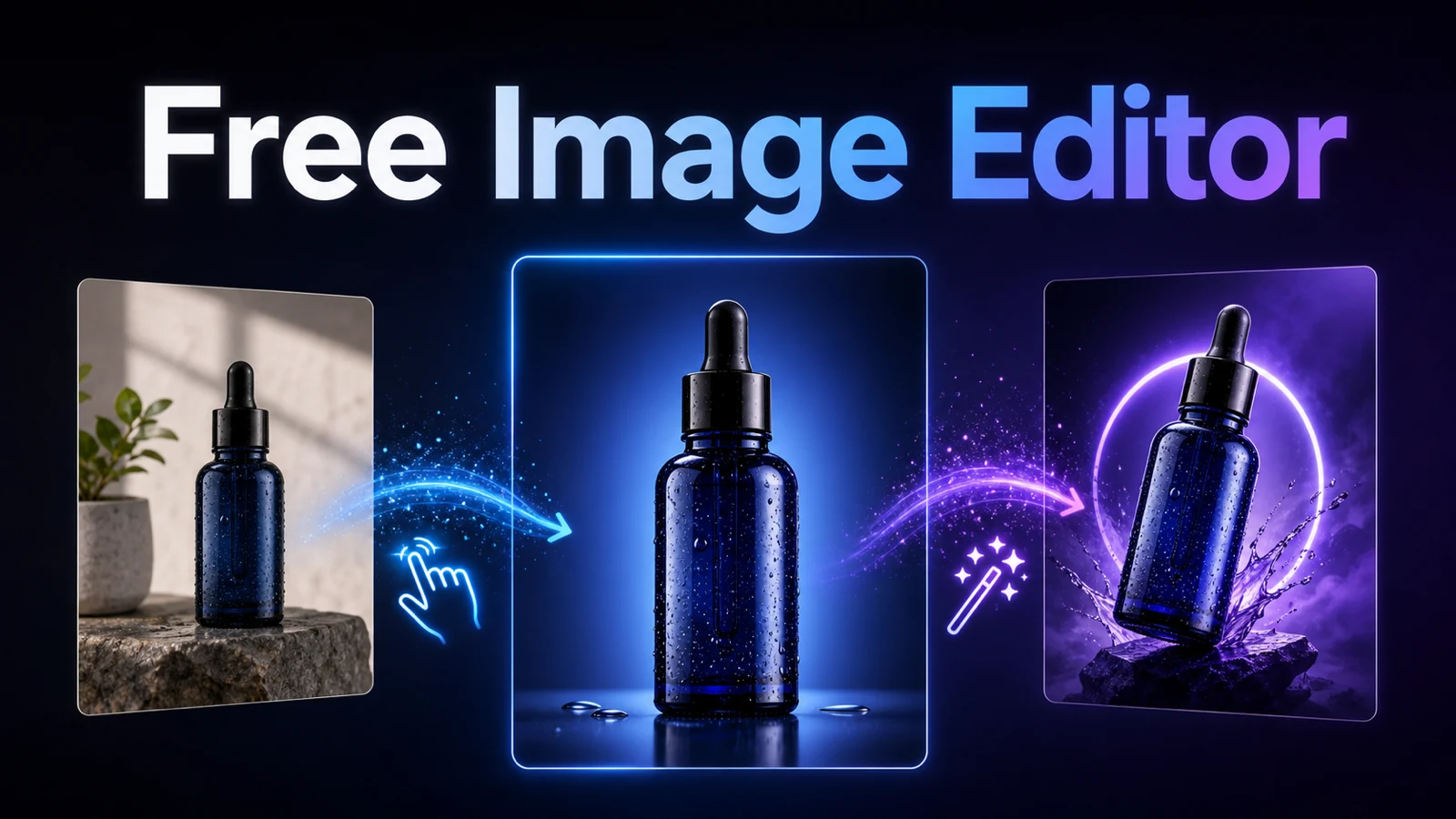
If you need a free AI image editor with no signup required, Best Image AI’s Free Image Editor offers a direct way to create or transform visuals with natural-language instructions. The browser tool is powered by GPT Image 2, supports text-to-image and reference-based editing, and is presented as 100% free with unlimited generations and no credit card required.

The practical appeal is simple: you describe what you want instead of building every change with layers, masks, and manual selections. That makes the editor useful for quick product-image concepts, social media graphics, background changes, posters, brand experiments, and other everyday creative work.
Important download note: No signup is required to start creating and editing. However, the current site-wide download message asks users to log in to download without a watermark. Treat “no signup required” as a creation-access benefit, not as a confirmed promise of watermark-free anonymous downloads. Check the live download flow before publishing an absolute “no watermark without registration” claim.
What Makes This Free AI Image Editor Different?
Best Image AI combines image generation and image editing in one prompt-driven workspace. You can begin with a written idea or upload an existing image and tell the editor what should change, what should remain consistent, and how the final visual should look.
The live Free Image Editor page highlights four core benefits:
- 100% free access: The page says the tool is free to use and does not require a credit card.
- No signup required to start: You can enter the creation flow without first making an account.
- Unlimited generations: The free page currently promotes unlimited image generation.
- Powered by GPT Image 2: The tool uses GPT Image 2 for prompt understanding, image creation, and reference-guided visual changes.
It accepts JPEG, JPG, WebP, and PNG reference files. The visible workflow also provides flexible aspect-ratio choices, making it easier to plan square posts, vertical stories, posters, thumbnails, banners, and widescreen images.
Powerful Natural-Language Image Editing With GPT Image 2
The strongest feature is not a long toolbar. It is the ability to explain an edit in ordinary language.
For example, you can ask the editor to remove an unwanted object, replace a background, restyle a room, redesign a product scene, add a visual element, or turn one source image into several creative variations. A useful instruction describes both the change and the constraints:
Replace the background with a warm, minimal studio set. Keep the product shape, color, proportions, label placement, and camera angle unchanged. Add soft side lighting and a realistic contact shadow.
This is more precise than writing “make it better.” It tells the model what to preserve, which is essential when editing product photography or maintaining a recognizable subject.
GPT Image 2 also supports detailed scene direction. You can specify composition, lighting, lens perspective, color palette, mood, visual style, and requested text. Results still depend on prompt clarity and the reference image, so complex work usually benefits from short rounds of refinement.
Product Photo Editing for Ecommerce and Marketing
Product teams can use the editor to explore campaign directions before commissioning a full production shoot. One clean source photo can become a catalog image, a lifestyle scene, a promotional banner, or a seasonal concept.

Useful product-image tasks include:
- Replacing a distracting background with a clean studio environment.
- Turning a basic packshot into a lifestyle scene.
- Testing new color palettes or campaign art directions.
- Creating mockups for packaging, landing pages, and advertisements.
- Adapting one product visual to different aspect ratios.
- Generating concept variations for stakeholder review.
The key is to protect product identity. State clearly that the model should preserve the product’s geometry, materials, colors, logo position, and visible details. AI output should still be checked against the real item before it is used in an ecommerce listing, because generated visuals can alter small product features.
Social Media Design Without Starting From a Blank Canvas
Creators and marketers often need the same idea in several formats. A square feed graphic, a vertical story cover, and a widescreen banner require different framing, but they should still feel like one campaign.

With a prompt-based editor, you can ask for:
- A background replacement that matches a campaign color system.
- A square, vertical, or wide composition built around the same subject.
- Poster-style graphics, thumbnails, profile visuals, or announcement art.
- A consistent set of visual variations for testing.
- More negative space for a headline or call to action.
- A new style while preserving the original person, product, or composition.
When a design needs exact legal copy, prices, or brand typography, use the AI result as a creative base and add final text in a conventional design tool. GPT Image 2 can render requested text more cleanly than many older image models, but important wording should always receive a human accuracy check.
How to Use Best Image AI’s Free Image Editor
The workflow is intentionally short.
1. Open the Free Image Editor
Go to the Free Image Editor on Best Image AI. You can begin without registering or entering a credit card.
2. Start With Text or Upload Reference Images
Write a prompt to create a completely new image, or upload a JPEG, JPG, WebP, or PNG file for reference-guided editing. When using a reference, explain what should change and what must remain intact.
3. Choose the Intended Aspect Ratio
Select a ratio that matches the destination. Use a square format for many feed posts, a vertical format for story-style content, or a wide format for banners and editorial covers.
4. Generate, Review, and Refine
Generate the result, then inspect subject consistency, small details, text, edges, hands, product geometry, and background artifacts. If something changed unexpectedly, revise the prompt with a more explicit preservation instruction.
5. Check the Download Condition
Before relying on the result for a public campaign, confirm the current download and watermark behavior. The tool can be used without signup, but the live site messaging currently indicates that login is required for a watermark-free download.
Prompt Examples for Real Editing Tasks
Clear prompts produce more controllable results. These examples can be adapted to your own image:
Product photo
Place the uploaded coffee maker in a bright Scandinavian kitchen. Keep the exact product shape, materials, controls, proportions, and viewing angle. Add natural morning light, a realistic counter shadow, and generous empty space on the left for campaign copy.
Social media visual
Turn this portrait into a bold editorial social graphic using coral, violet, and deep blue. Preserve the person’s identity, face, pose, and clothing. Create a vertical composition with clean negative space above the subject. Do not add words or logos.
Background replacement
Replace the busy background with a neutral light-gray studio wall. Preserve the subject, hair edges, clothing texture, lighting direction, and camera perspective. Add a soft realistic floor shadow.
Interior redesign
Redesign this unfinished room as a warm modern-minimalist living room. Preserve the exact architecture, windows, doorway, ceiling lines, crop, and camera position. Add light oak flooring, restrained furniture, soft cove lighting, and natural daylight.
When to Move From the Free Editor to the GPT Image 2 API
The free editor is best for quick browser-based experiments. Teams building repeatable or automated production workflows should consider the more robust GPT Image 2 API on Best Image AI.
The API page currently lists 1K, 2K, and 4K resolution options; low, medium, and high quality modes; and ten aspect ratios, including 1:1, 16:9, 9:16, 3:2, 4:3, and 21:9. It also provides JavaScript, Python, and cURL examples for integrating generation into an application.
Choose the API when you need:
- Automated image generation from a CMS, ecommerce system, or internal tool.
- Predictable resolution and quality controls.
- Repeatable prompt templates across many assets.
- Production monitoring, retries, and application-level review.
- A stable integration path for higher-volume creative workflows.
In short, use the free editor to explore an idea immediately. Use the API when image generation becomes part of a product or business process.
Limitations to Understand Before You Publish
AI image editing is fast, but it is not a substitute for final review. Inspect product details, requested text, faces, hands, reflections, shadows, and brand consistency. Never imply that an AI-generated product feature exists when it does not.
You should also confirm that you have the right to upload and edit the source image. Commercial use depends on your rights to the input, the platform’s current terms, the model provider’s rules, and the content you generate.
Finally, keep the access and download claims separate: Best Image AI currently promotes free, unlimited creation with no signup required, while watermark-free downloading appears to require login. That distinction protects both reader trust and campaign accuracy.
Frequently Asked Questions
Is Best Image AI’s Free Image Editor really free?
The live page currently presents the editor as 100% free, with unlimited generations and no credit card required. Product terms and limits can change, so check the page again before running a large campaign.
Do I need to sign up before editing an image?
No signup is required to enter the free creation and editing workflow. You can write a prompt or add supported reference images directly.
Can I download without a watermark and without registering?
This combination is not currently confirmed. The site’s download messaging says users should log in to download without a watermark. Verify the live behavior before promising watermark-free anonymous downloads.
Can the editor change a product photo background?
Yes. Reference-guided editing can redesign a background or product scene. Tell the model exactly which product details, proportions, materials, and camera properties it must preserve.
Is it suitable for social media graphics?
Yes. The editor supports flexible compositions for square posts, vertical visuals, wide banners, posters, thumbnails, and campaign variations.
What is the advantage of the GPT Image 2 API?
The API is better suited to repeatable production. It exposes resolution, quality, and aspect-ratio controls and can be integrated into software through documented requests.
Conclusion
Best Image AI is a strong option for anyone searching for a free AI image editor with no signup required. Its GPT Image 2 workflow can create new images, edit references, redesign product scenes, and adapt creative ideas for ecommerce and social media without a complex professional editing interface.
Start with the free online editor for fast experiments. When you need scalable controls and a more stable production workflow, explore the GPT Image 2 API.