免費 GPT Image 2:線上 AI 圖像生成器和編輯器
免費 GPT Image 2 AI 圖像生成器和 AI 圖像編輯器可幫助創作者將文字提示詞和上傳的參考圖轉化為細緻視覺。使用 Best Image AI,在快速免費的流程中建立寫實場景、產品概念、海報、社群媒體圖形、品牌模型、設計方向和圖像到圖像變體。
100% 免費
由 GPT Image 2 提供支援
無需註冊
無限生成
高畫質圖片生成體驗試用
透過我們的專業網站,體驗更快、更高品質、無廣告的圖片生成服務
生成的圖片將顯示於此。
探索 AI 提示詞合集
從實用的圖片與影片提示詞範例開始,開啟完整的提示詞合集,或瀏覽其持續維護的 GitHub 資料庫。
探索 Best Image AI 的多種創意工具
在瀏覽器中探索多種 AI 創作工具,快速完成圖像和影片工作流程,再透過 Best Image AI 可用於正式環境的模型 API 擴展成功創意。Best Image AI 為所有模型提供統一 API 層,讓工作流程的使用和擴展更輕鬆。
免費創作 · 透過聯盟推廣賺取收益
免費加入,分享 Bestimage.ai,立即開始賺取收益!
加入 Bestimage.ai 聯盟計畫,向需要可靠 AI 工具的創作者分享推薦連結,透過推薦賺取佣金。
加入聯盟計畫免費 GPT Image 2 AI 生成器的趣味範例
一款靈活的 AI 圖像生成器和 AI 圖像編輯器,適用於文字生成圖像和圖像到圖像創作,專為細緻提示詞遵循、清晰版面、準確視覺方向、參考引導編輯和快速創意迭代而打造。
文字生成圖像範例
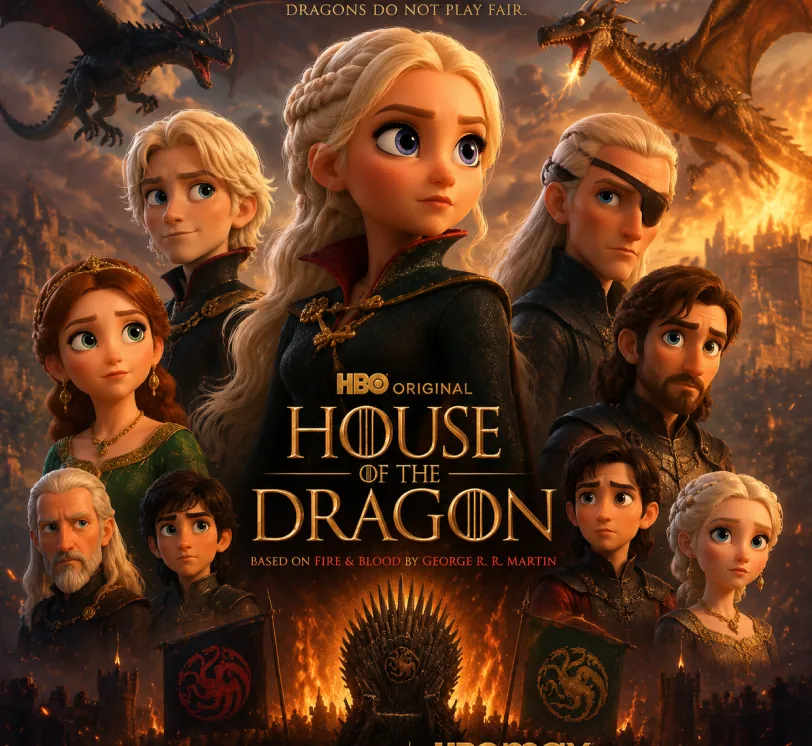
提示詞
Pixar-style movie poster reimagining of the TV show {argument name="House of the Dragon" default="[Breaking Bad]"}. Feature the main cast as charming 3D CGI caricature characters with exaggerated, expressive features, big expressive eyes, and warm glossy Pixar-quality rendering. Compose it as an actual movie poster
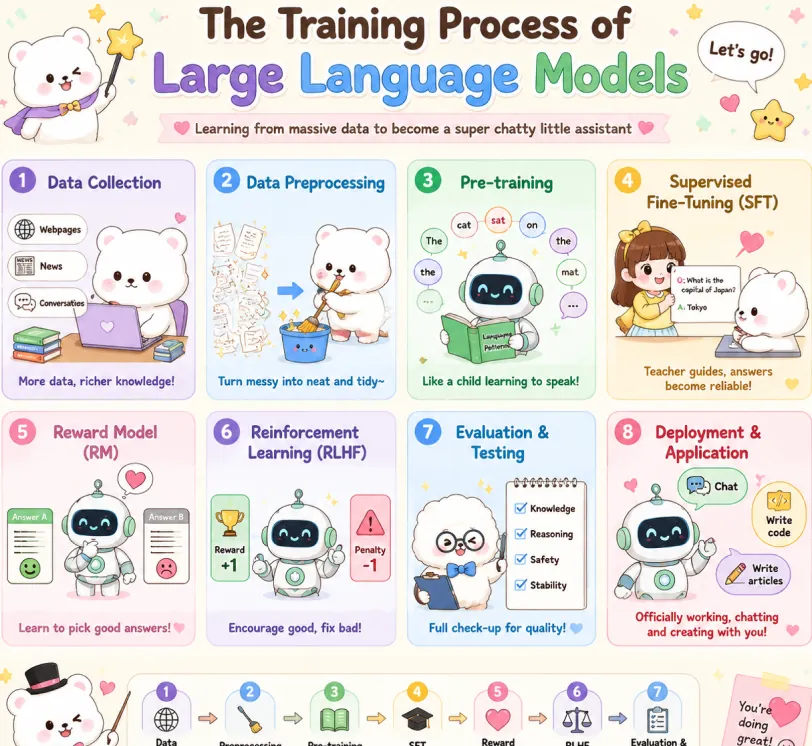
提示詞
Create a cute pastel horizontal poster titled 'The Training Process of Large Language Models' with subtitle 'Learning from massive data to become a super chatty little assistant'. Hand-drawn cartoon style, rounded panels, soft cream background, pastel colors (lavender, sky blue, mint green, yellow, pink, brown), crisp English text, stars, hearts, arrows, speech bubbles. Warm friendly tone. 2x4 grid: Data Collection (lavender): White bear with laptop and books. Labels: Webpages, News, Conversations. Caption: More data, richer knowledge! Data Preprocessing (sky blue): Bear cleans messy papers into bucket. Caption: Turn messy into neat and tidy~ Pre-training (mint green): Cute robot reads book with token bubbles. Caption: Like a child learning to speak! Supervised Fine-Tuning SFT (yellow): Teacher shows QA card to bear. Caption: Teacher guides, answers become reliable! Reward Model RM (pink): Robot picks the better answer. Caption: Learn to pick good answers! Reinforcement Learning RLHF (lavender blue): Robot sees reward and penalty. Caption: Encourage good, fix bad! Evaluation & Testing (blue): Fluffy character checks Knowledge, Reasoning, Safety, Stability. Caption: Full check-up for quality! Deployment & Application (red pink): Robot with Chat, Write code, Write articles. Caption: Officially working, chatting and creating with you! Top: Sparkle, confetti, white mascot with star wand, 'Let's go!' bubble. Bottom: Bow-tie mascot, 7-step flow with arrows: Data Collection → Preprocessing → Pre-training → SFT → Reward Model → RLHF → Evaluation. Closing: This is how large language models grow from knowing nothing to super scholar! ٩(๑^o^ٖ)۶. Heart sticky note. Mascots: cute robot, chubby white bear, teacher girl, fluffy examiner. Polished and shareable infographic.
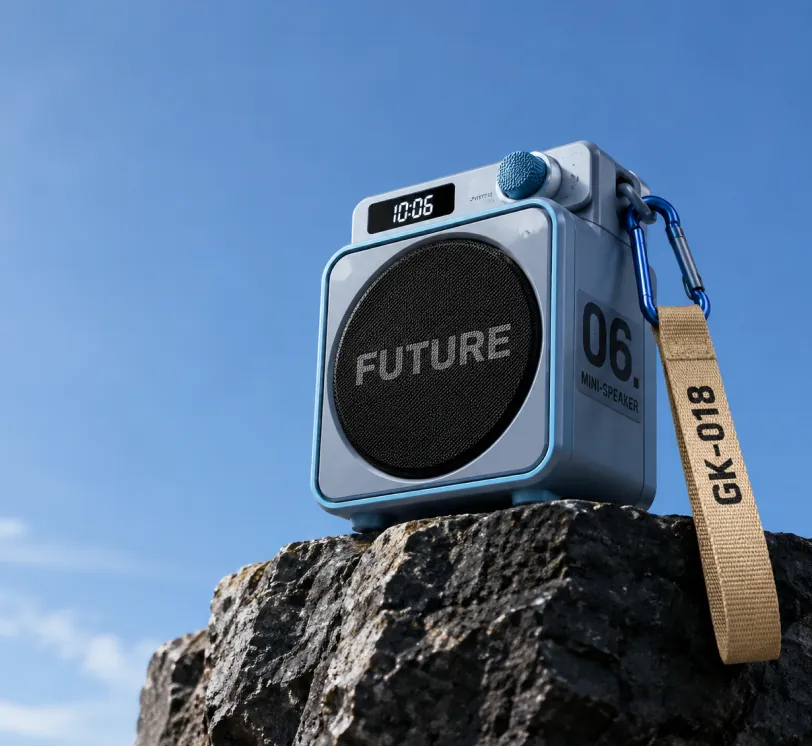
提示詞
Photorealistic product photography of a compact modern portable mini-speaker resting on the edge of a dark rugged rocky cliff against a vast clear blue sky. The speaker has a sleek cube-shaped body in matte light blue-gray with metallic blue trim and rounded corners. Front face features a large circular black mesh speaker grille with the bold word "FUTURE" in large gray capital letters across the center. Right side panel displays large black text "06." above smaller stacked text "MINI-SPEAKER". Top surface has a small rectangular digital display showing "10:06" in white digits on black, next to a blue cylindrical control knob labeled "SWITCH". A blue carabiner clip on the top right holds a beige woven fabric strap hanging downward with "GK-018" printed in black capital letters. Low angle shot looking slightly upward, dramatic perspective emphasizing height, professional studio lighting mixed with natural daylight, soft shadows, ultra sharp focus, high resolution, clean minimalist composition with expansive blue sky on the left and upper frame, premium outdoor tech gadget aesthetic, cinematic product photography style.
圖像編輯範例
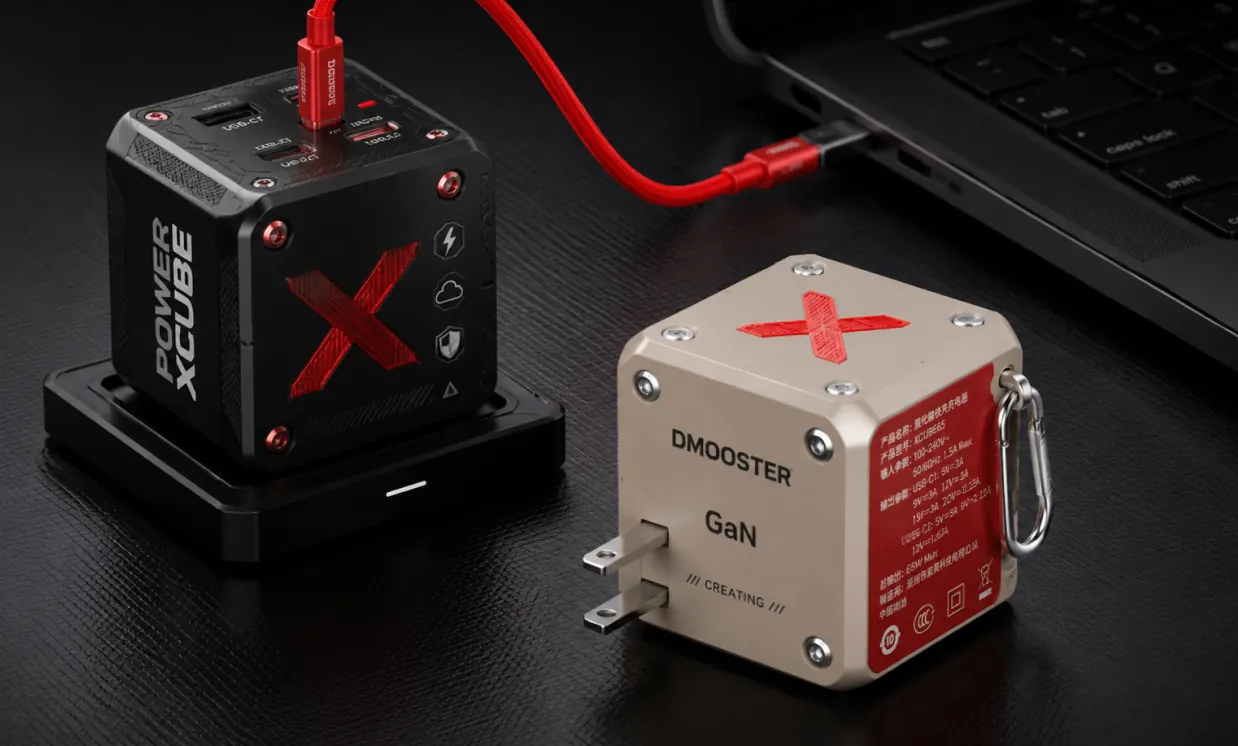
原圖 (提示詞)
Photorealistic professional studio product photography of two modern cube-shaped GaN power adapters on a dark charcoal textured surface with subtle grid pattern. In the foreground right, a matte beige power cube featuring a large red X logo on top, silver metal rivets, "DMOOSTER" branding in gray, "GaN" text, and "CREATING" below. The red side panel displays detailed white Chinese specification text and symbols. It has two flat metallic prongs and a silver carabiner-style metal clip on the side. Slightly behind and to the left, elevated on a black rectangular docking base, stands a matte black power cube with bold vertical white text "POWER XCUBE", a prominent red X logo, multiple small functional icons (lightning bolt, cloud, shield), and red accent screws. A thick vibrant red cable is plugged into the top USB-C port of the black cube, curving smoothly to connect with a partially visible black laptop in the upper right background. Soft cinematic studio lighting with gentle highlights and defined shadows, sharp focus on both products, shallow depth of field, ultra-detailed textures and realistic materials, high-end tech product visualization, dark moody atmosphere, Behance portfolio aesthetic, 8k resolution.
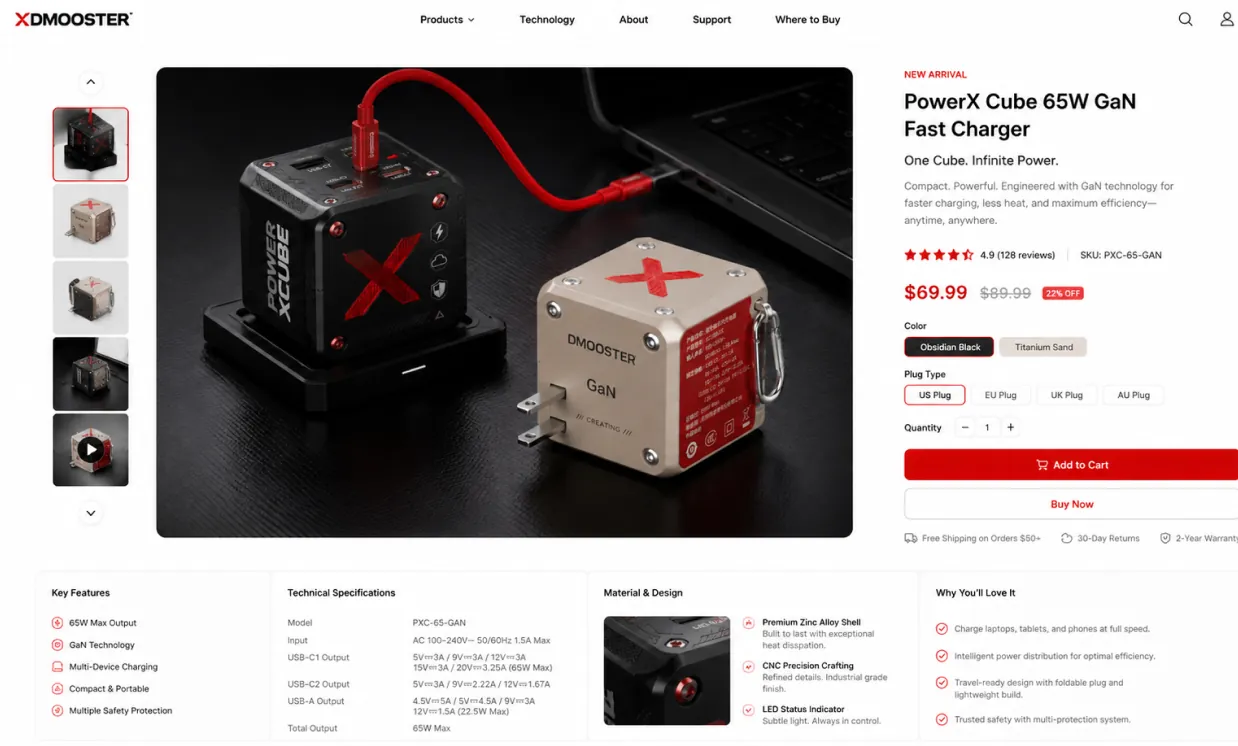
生成圖 (提示詞)
Use the provided product image as the exact hero product and create a beautiful desktop e-commerce product detail page mockup in a 16:9 ratio. Keep the product’s real shape, proportions, materials, colors, and branding consistent with the input image. Design a premium, modern, minimal product showcase webpage with strong commercial appeal, suitable for product presentation, retail concept design, brand landing pages, and UI mockups. Layout should include: a clean top navigation bar, left-side thumbnail gallery or supporting product visuals, a large central hero product display with soft studio lighting and realistic shadow, and a right-side product information panel with product title, price, concise marketing copy, selectable options, quantity control, and strong call-to-action buttons. Add a lower information area with feature icons, technical specifications, material highlights, and short selling points arranged in a polished grid. Use elegant sans-serif typography, precise spacing, thin divider lines, subtle cards, white or very light neutral background, and a calm premium color system derived from the product itself. Overall look: realistic, high-end, conversion-focused, clean desktop UI, refined industrial design presentation, dribbble/brand-site quality, not mobile, not cluttered, not cartoon.
參考引導設計範例
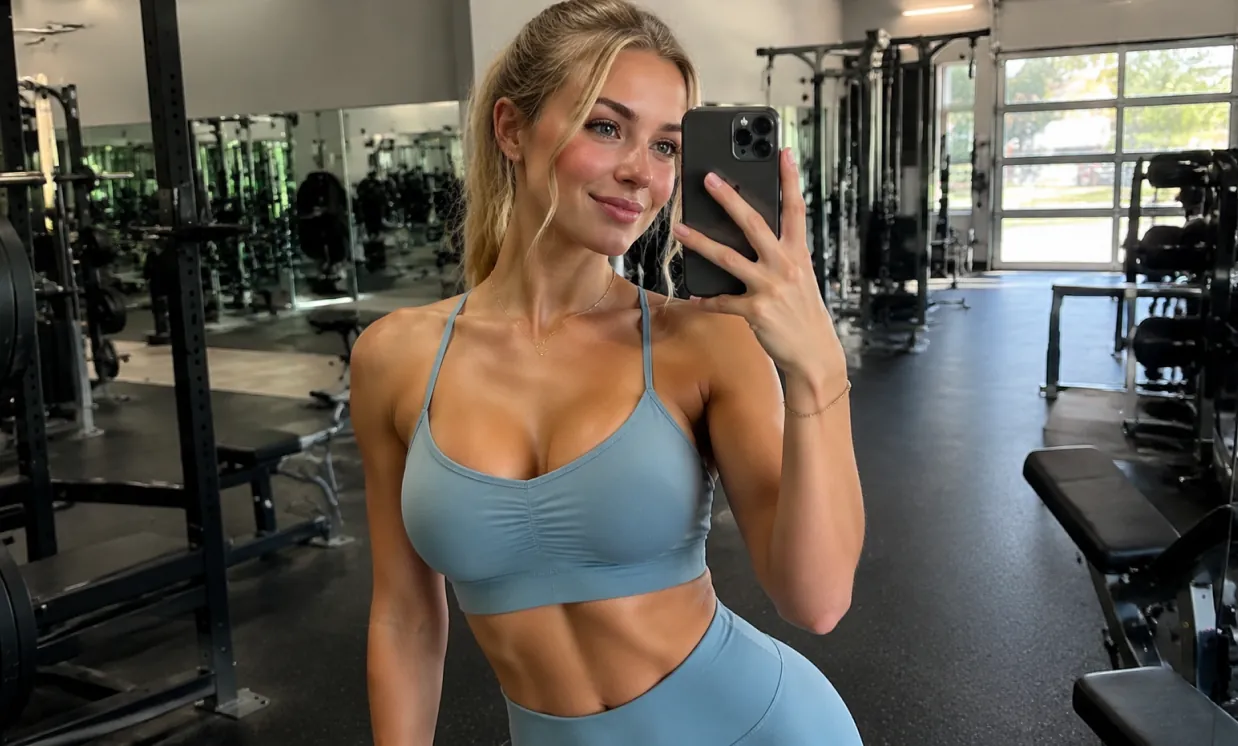
原圖 (提示詞)
A beautiful and attractive European white young woman taking a selfie in the gym, wearing yoga clothes and showing off her curvaceous figure.
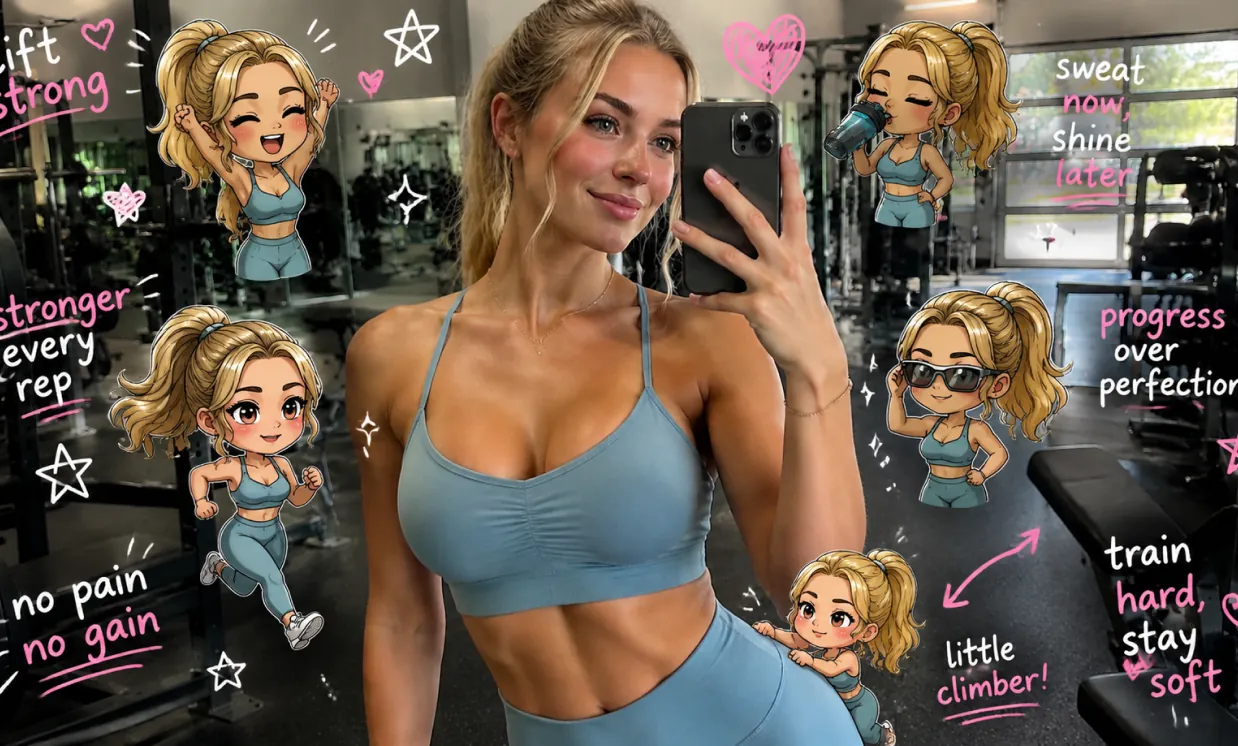
生成圖 (提示詞)
Edit the image while keeping the original photo completely unchanged — including the person, face, body, pose, lighting, and gym background. Add multiple small, cute chibi-style “mini versions” of her around the image. Each mini character should have a big head, expressive facial features, and match her hairstyle and outfit. Depict each mini version doing different gym-related activities: one cheering with arms raised one running in running shoes one drinking from a shaker bottle one wearing sporty running glasses one climbing near her leg Enhance the image with playful, hand-drawn doodles and handwritten notes in white and pink ink, in a scrapbook style. Include elements like arrows, stars, hearts, sparkles, and sketchy lines. Add cute, handwritten gym-themed motivational phrases: “lift strong” “stronger every rep” “no pain no gain” “sweat now, shine later” “progress over perfection” “train hard, stay soft” The overall vibe should feel fun, energetic, and feminine.
免費 GPT Image 2 AI 生成器的優勢
免費 GPT Image 2 幫助創作者快速將想法轉化為可用圖像,將自然語言提示詞、線上 AI 圖像編輯器工作流程、參考圖像支援和常用寬高比選擇結合起來,服務日常視覺製作。
細緻的提示詞理解
用自然語言描述主體、環境、光線、鏡頭角度、風格、色彩方案、版面、氛圍和文字方向,引導生成更可控的圖像結果。
文字生成圖像和圖像到圖像工作流程
僅從文字提示詞開始,或將提示詞與上傳的參考圖像結合,用於引導編輯、重新設計視覺、建立變體和探索新的藝術方向。
多種寬高比選項
透過靈活的寬高比選擇,為方形貼文、人像圖、橫幅、縮圖、海報、行動端封面和寬螢幕場景建立圖像。
面向創意工作的實用輸出
將免費 GPT Image 2 用於行銷概念、社群媒體視覺、產品模型、故事板、教育圖形、品牌實驗和快速設計預覽。
免費 GPT Image 2 AI 生成器的應用場景
使用免費 GPT Image 2 在行銷、設計、教育、電商、個人創意和內容製作中進行線上 AI 圖像生成。它幫助個人和團隊建立可用的視覺草稿,無需每張圖都從空白畫布開始。
社群媒體和創作者內容
建立適合捲動瀏覽的貼文、縮圖、頭像視覺、短影片封面和活動圖形,並符合不同發布需求的尺寸。
廣告和產品概念
在投入完整設計或拍攝製作前,生成產品場景、生活方式模型、推廣海報、包裝概念和廣告變體。
照片編輯和視覺再創作
上傳參考圖像來調整風格、重新設計場景、測試背景、改變視覺方向,或生成更一致的創意變體。
教育和簡報設計
將抽象想法轉化為清晰插圖、課程視覺、投影片圖形、圖表和解釋性圖像,用於學習、教學和溝通。
如何使用免費 GPT Image 2 AI 生成器
透過簡單的線上流程生成或編輯 AI 圖像:輸入提示詞,可選擇上傳參考圖像,選擇寬高比,然後建立最終視覺。
輸入你的圖像提示詞
寫下你想建立的內容,包括主體、環境、風格、顏色、鏡頭角度、光線、版面、文字以及任何重要視覺細節。
如有需要,上傳參考圖像
對於圖像到圖像生成,加入參考圖像並說明結果應如何轉換、保留或重新詮釋上傳的視覺。
選擇比例並生成
選擇符合目標平台的寬高比,生成圖像,預覽結果,優化提示詞,並在最終視覺準備好後匯出。
媒體創作推薦 AI 模型
探索適合生產級創意工作流程的代表性 AI 圖片、影片、LLM 或其他模型,並透過 Best Image AI 的統一模型市場查看即時價格與折扣。